CAD/CAM Class
Project Details / Background
In this course, we learned to program gcode using HSM to machine parts on a Haas Desktop Mill. The stock we used was polyurethane foam, which was good for learning CNC
machining because it is hard enough to be “machined”, while being forgiving enough to not escalate basic mistakes. The Haas Desktop Mill is also a good machine for learning the basics of CNC.
We learned to manually set up G54 offsets and tool length offsets, and manually changed tools with tool-specific collets. Some examples of the tools we used are a flat end mill, ball end mill,
drill, edge finder, and a test indicator. Though some of the work was manual, the mill has a standard Haas controller, so the skills we learned for working on the desktop mill are transferable
to other Haas machines.
The two main pieces of software we used in this course were Flashcut, and Autodesk HSMWorks embedded in Solidworks. We used Flashcut CNC 4.55 in the first part of the course to
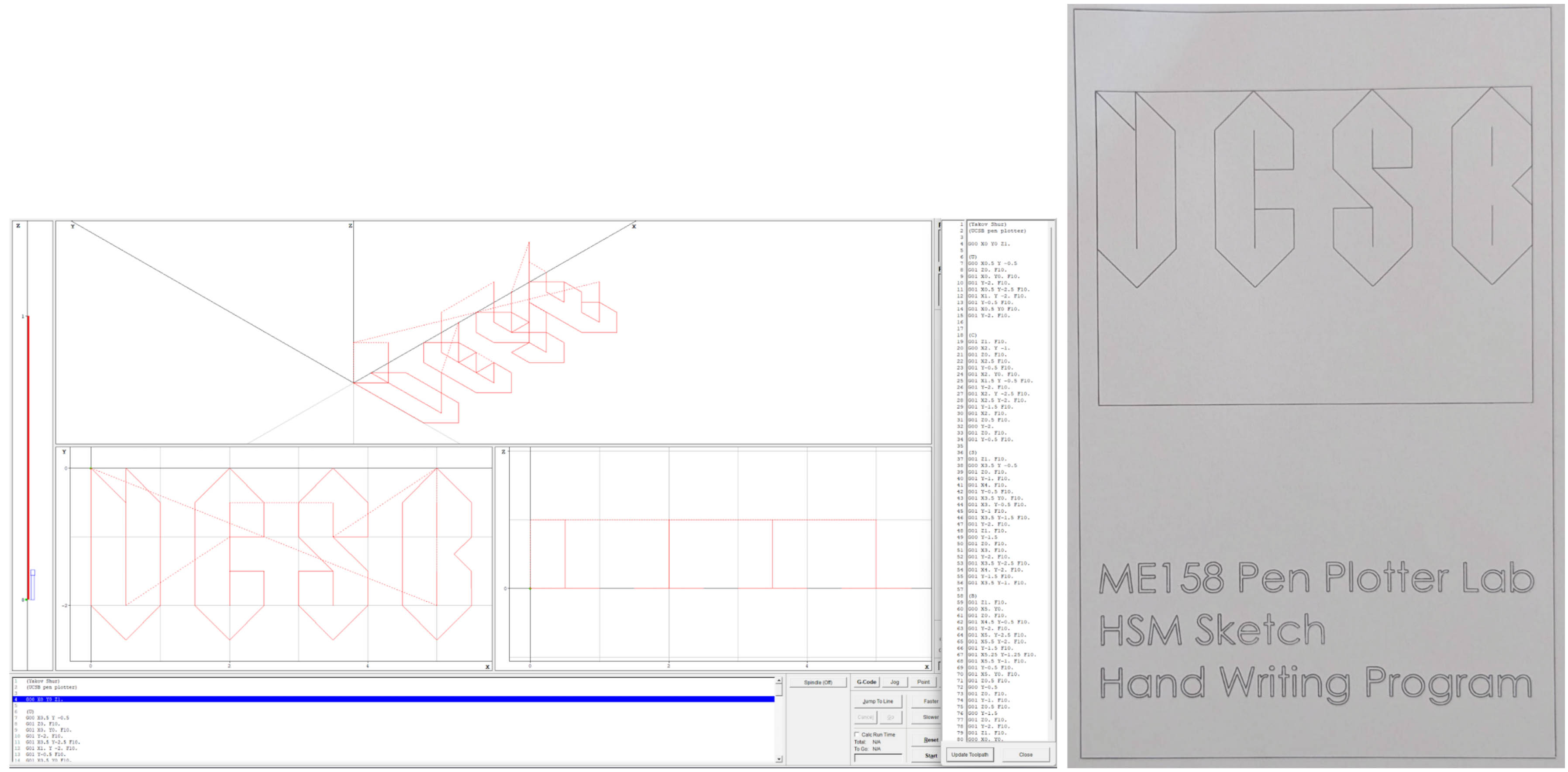
visualize and check hand-written gcode. One of the first labs we did, and also one of my favorites, was writing gcode to write “UCSB” with a pen plotter in the mill. Instead of a tool in the collet,
we used a pen to write on paper attached to a clipboard. Below is the toolpath generated in Flashcut, and the actual drawing made by the machine.
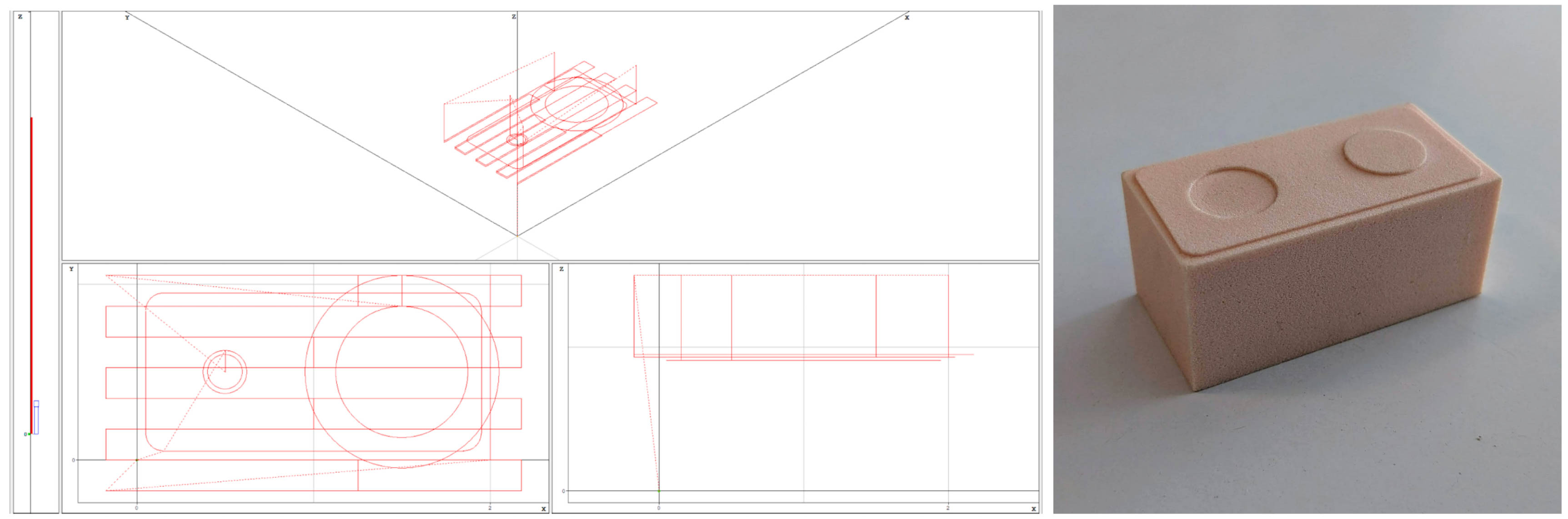
Once we learned more about writing gcode and about using the mill for actual milling operations, we wrote a few programs by hand for making 3D parts. Below is a toolpath generated
by Flashcut for code I wrote by hand, and the resulting part made using the desktop mill.
Though using Flashcut was convenient for checking basic code, making more complex parts manually was quite slow, so we transitioned to using HSMWorks to generate toolpaths instead.
In addition to being faster than handwriting code, we were also able to utilize the “Stock Simulation” feature in Solidworks to visualize how each machining operation would remove material from our stock.
Seeing the virtual part in 3D as it was being “milled” in the simulations gave me a much better understanding of, for example, how the radius and geometry of a tool affects how operations are defined.
Below is an example of the CAD of a part, and the physical part resulting from using code generated from HSMWorks.
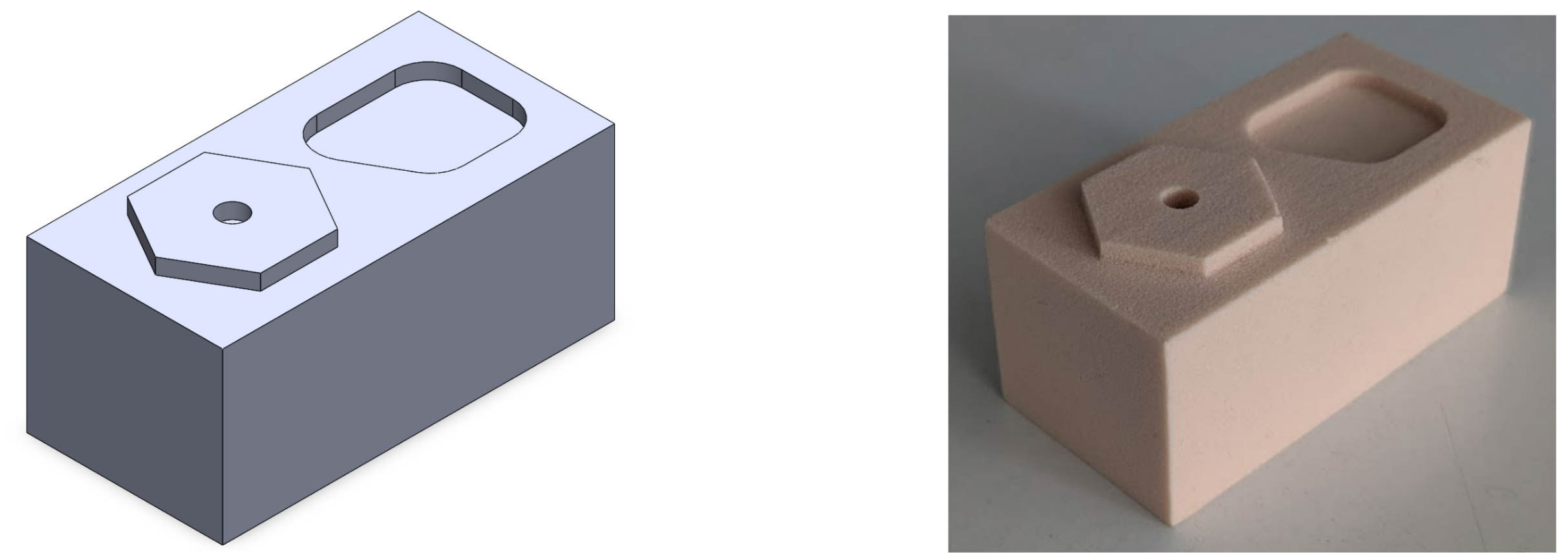
When comparing the results of using Flashcut to check hand written code, and using HSMWorks to generate toolpaths, the finished part is the same as the planned design in both cases,
but I believe using HSM is more efficient for most 3D operations. In cases like simple facing and drilling operations, writing code by hand or using VPS on the Haas mill is understandable. However, the
fine control over numerous aspects of machining and availability of features like stock simulation make using HSMWorks a favorable option for CNC machining tasks.
Below is a list of parts I made in lab, following basic instructions and part drawings. Though the part had to be made specific to its design, we were free to use any operations we saw
fit to make it, especially for later labs when we used HSMWorks. With every project, I got more familiar with the desktop mill, and learned about more efficient ways to machine parts.
Image Gallery
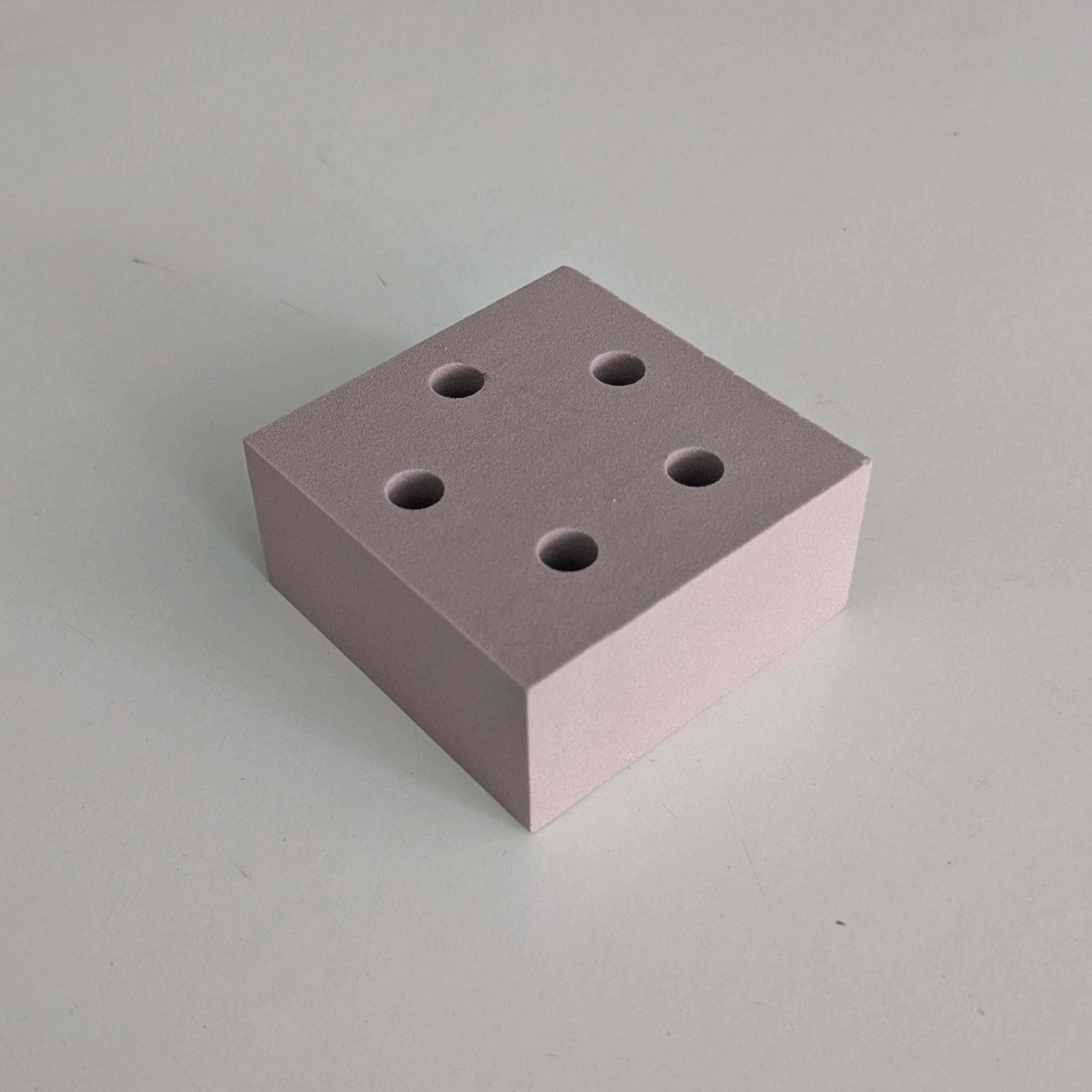
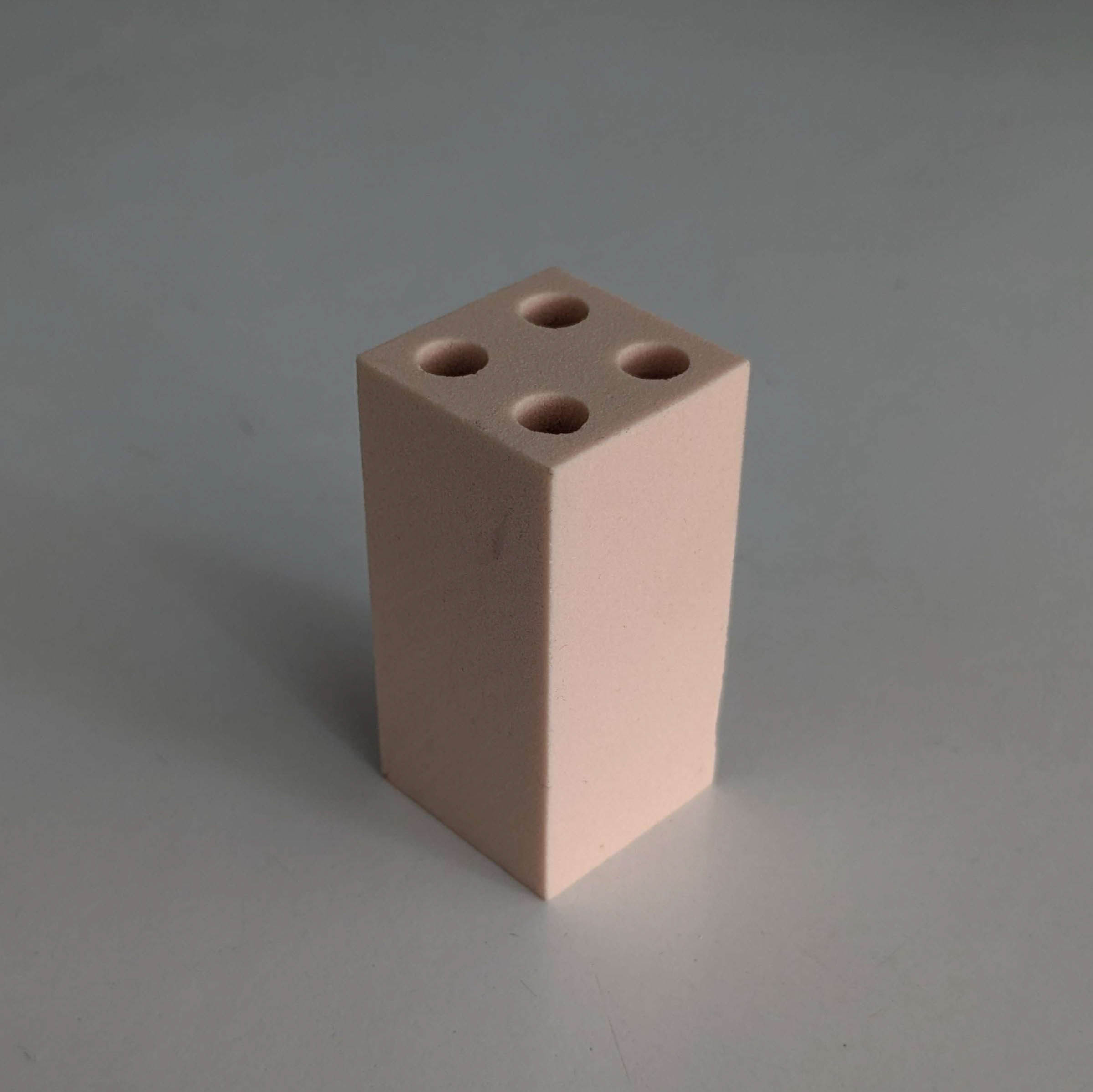 In this lab, we found the G54 offset, and used VPS (Visual Part Programming System) to first face the part with an end mill, and then drill four holes
in a square pattern. Though we hadn’t written gcode, it was still super exciting to see milling in action from pressing a few buttons for the first time.
In this lab, we found the G54 offset, and used VPS (Visual Part Programming System) to first face the part with an end mill, and then drill four holes
in a square pattern. Though we hadn’t written gcode, it was still super exciting to see milling in action from pressing a few buttons for the first time.
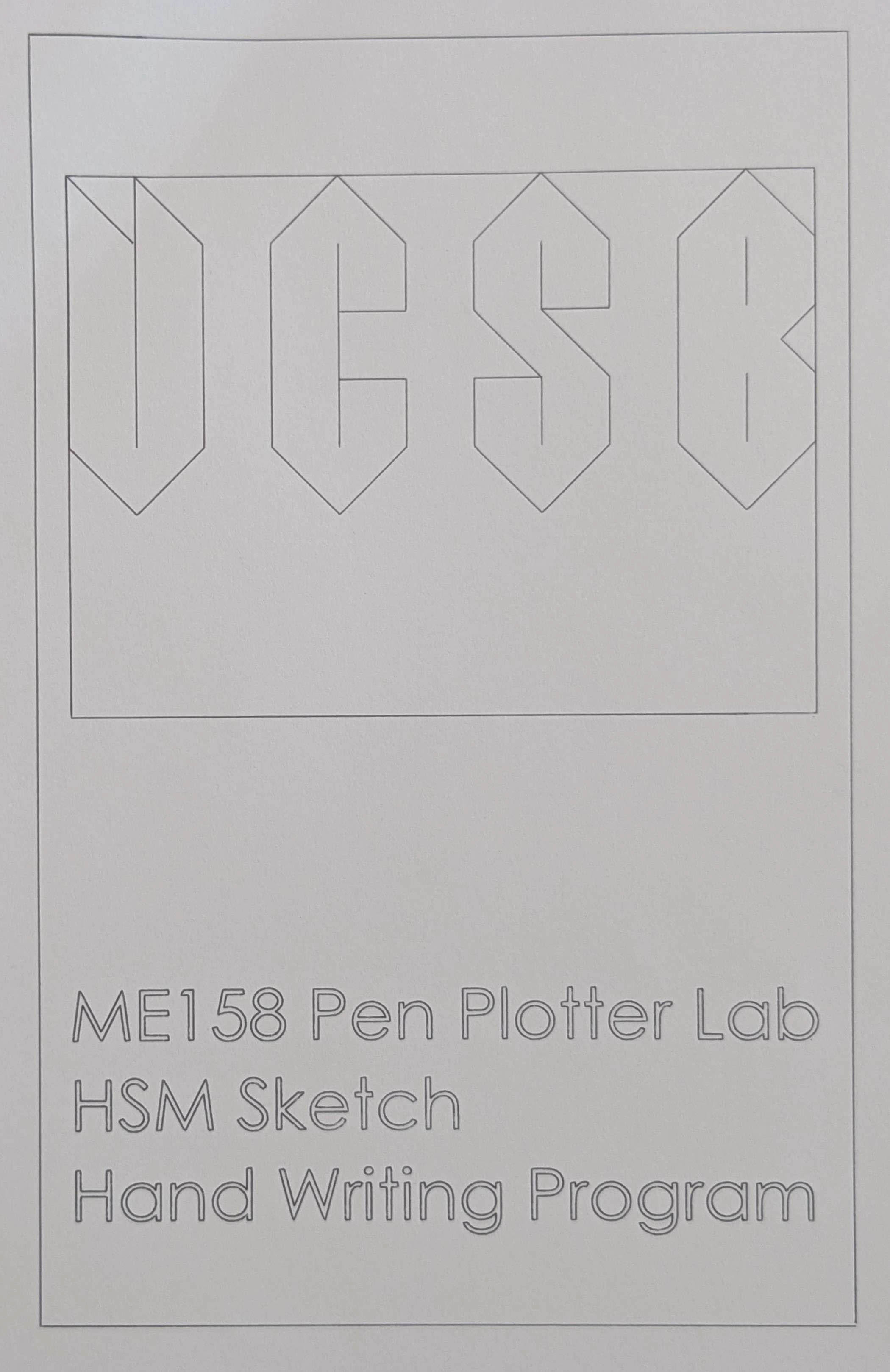 For this lab, we wrote gcode by hand to write “UCSB” with a pen attached to the toolhead of the mill. Because I decided to stylize the lettering, I didn’t have to use
G02/G03 commands to make arcs which simplified the process. Instead, I focused on optimizing the movement of the toolhead to reduce “machining” time.
For this lab, we wrote gcode by hand to write “UCSB” with a pen attached to the toolhead of the mill. Because I decided to stylize the lettering, I didn’t have to use
G02/G03 commands to make arcs which simplified the process. Instead, I focused on optimizing the movement of the toolhead to reduce “machining” time.
 In this lab, we found the G54 offset, and used VPS to first face the part with an end mill, and then drill five holes in a circular pattern.
This was a step above the first VPS lab, and gave us time to practice writing gcode.
In this lab, we found the G54 offset, and used VPS to first face the part with an end mill, and then drill five holes in a circular pattern.
This was a step above the first VPS lab, and gave us time to practice writing gcode.
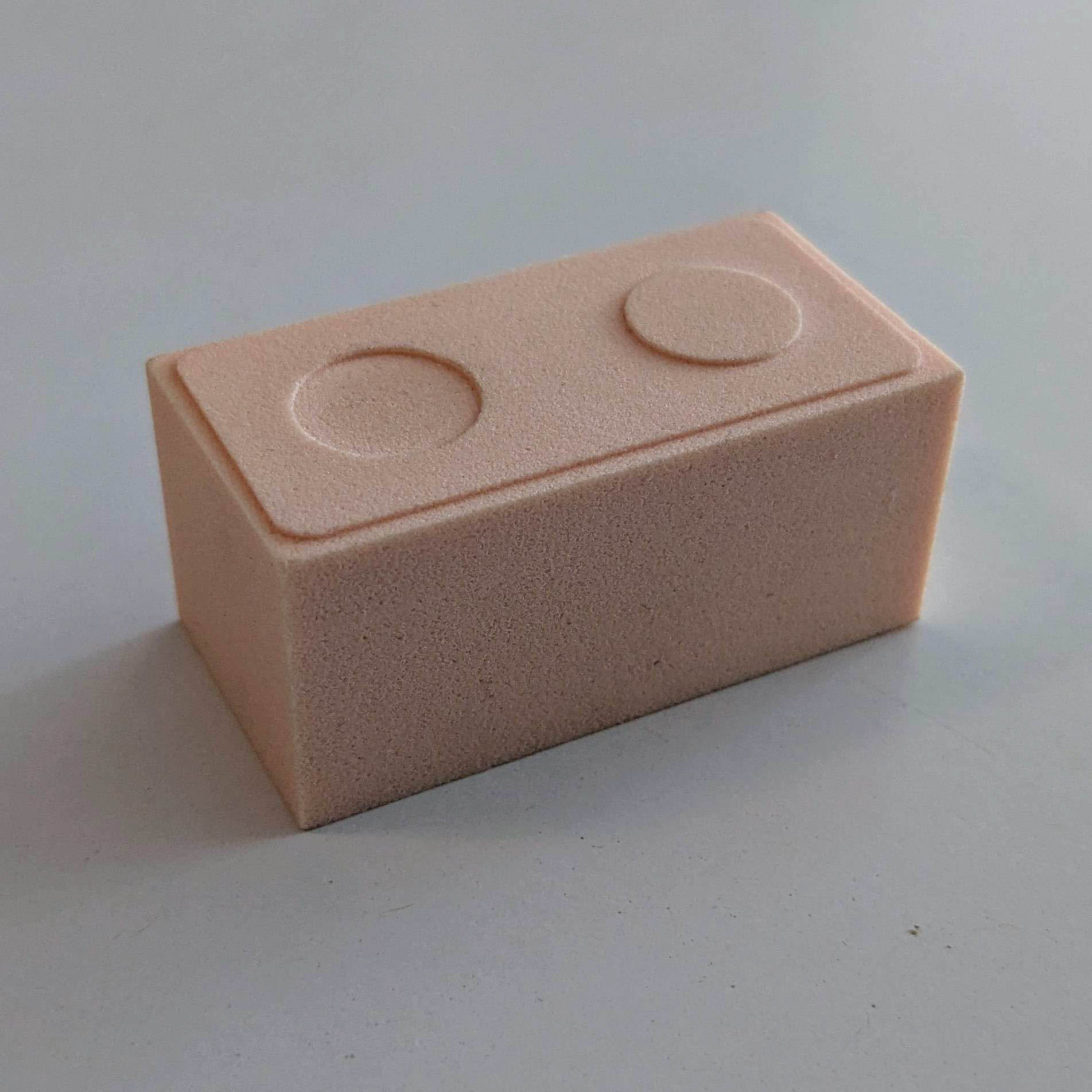 This was the first lab in which we ran gcode we wrote by hand to mill a 3D part. As seen earlier, I ran my code in Flashcut before the lab to make sure that the features
looked correct. The entire part was milled with one end mill with a facing operation, and separate operations for the protrusion, circular pocket, and bezel. Though my code made the part to spec,
I ended up with unnecessary circular passes because I was worried about not covering the whole part when making the circular protrusion. This only increased "machining time".
This was the first lab in which we ran gcode we wrote by hand to mill a 3D part. As seen earlier, I ran my code in Flashcut before the lab to make sure that the features
looked correct. The entire part was milled with one end mill with a facing operation, and separate operations for the protrusion, circular pocket, and bezel. Though my code made the part to spec,
I ended up with unnecessary circular passes because I was worried about not covering the whole part when making the circular protrusion. This only increased "machining time".
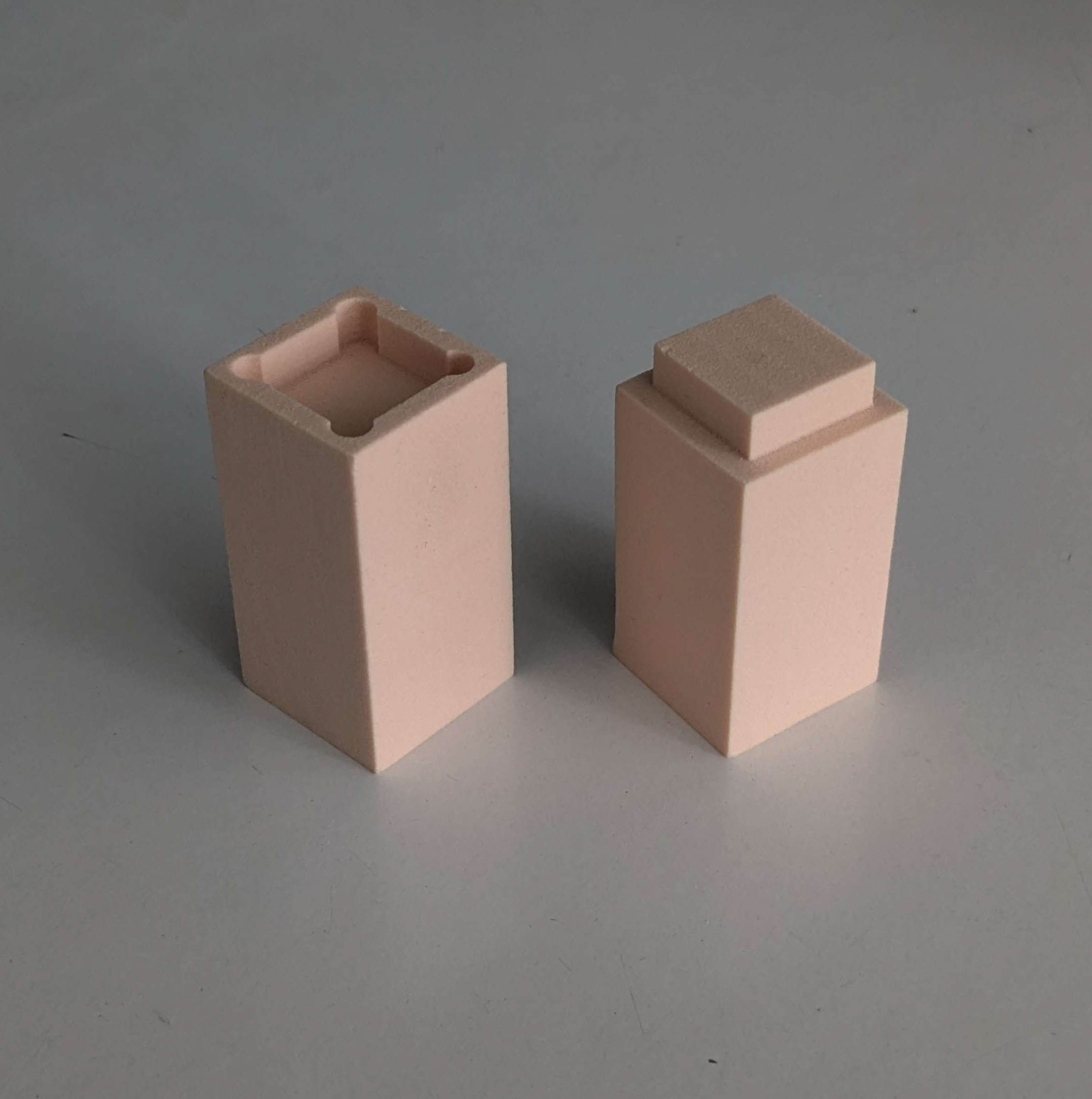 This was the first lab for which we used HSM in Solidworks. The two pieces were designed to closely fit together, and we were free to choose how to design the part with
the pocket such that the sharp corners of the protrusion would fit. My parts fit together, but loosely because I overshot my tolerance for the square pocket.
This was the first lab for which we used HSM in Solidworks. The two pieces were designed to closely fit together, and we were free to choose how to design the part with
the pocket such that the sharp corners of the protrusion would fit. My parts fit together, but loosely because I overshot my tolerance for the square pocket.
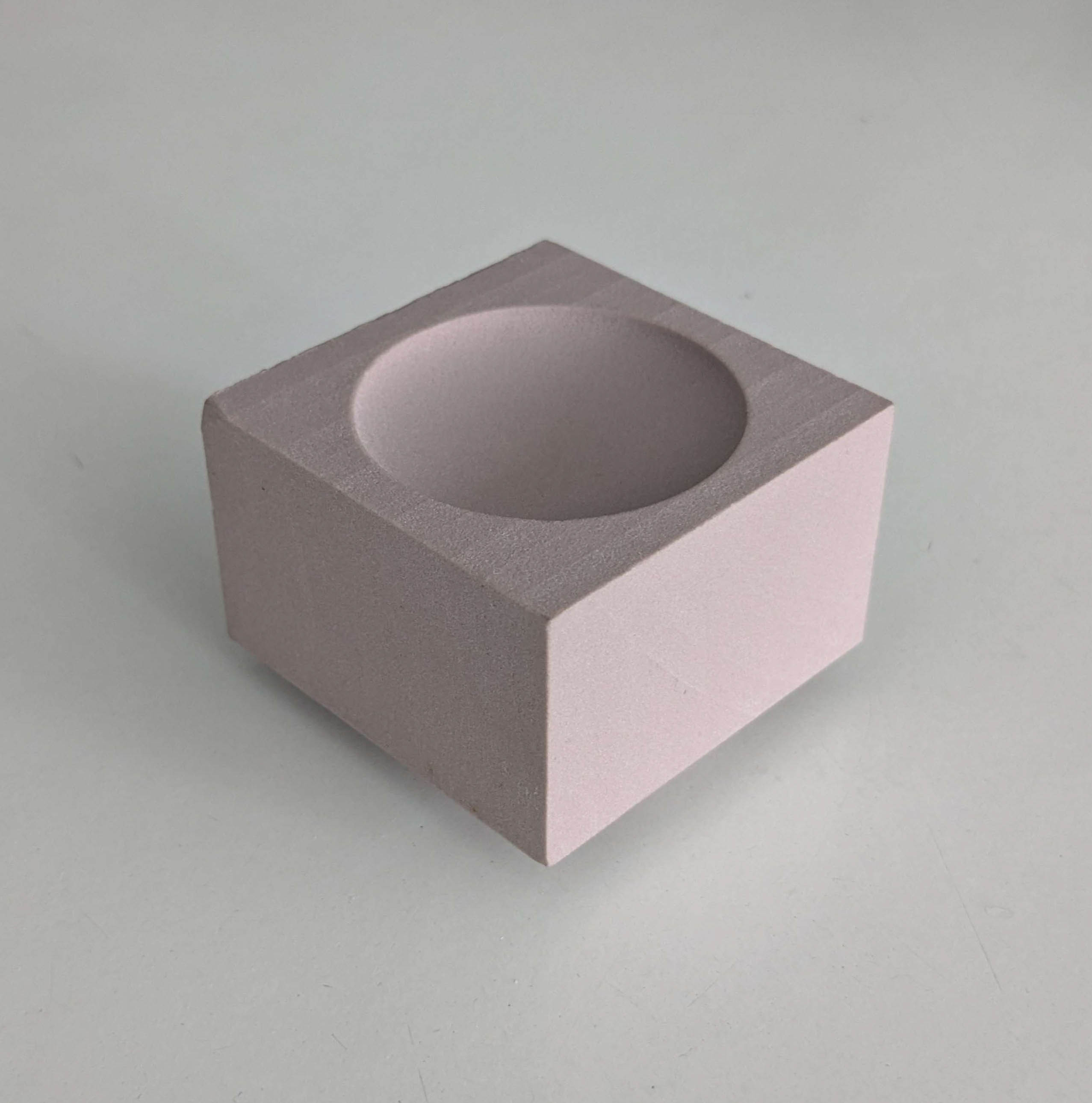 This lab was the most challenging because it required two separate HSM jobs on the same part. The concave feature seen above was made first on the bottom face of the
part, and the concave feature seen below was made second on the top face. For each job, two end mills were used for roughing and finishing: a flat end mill, and a ball end mill.
This lab was the most challenging because it required two separate HSM jobs on the same part. The concave feature seen above was made first on the bottom face of the
part, and the concave feature seen below was made second on the top face. For each job, two end mills were used for roughing and finishing: a flat end mill, and a ball end mill.
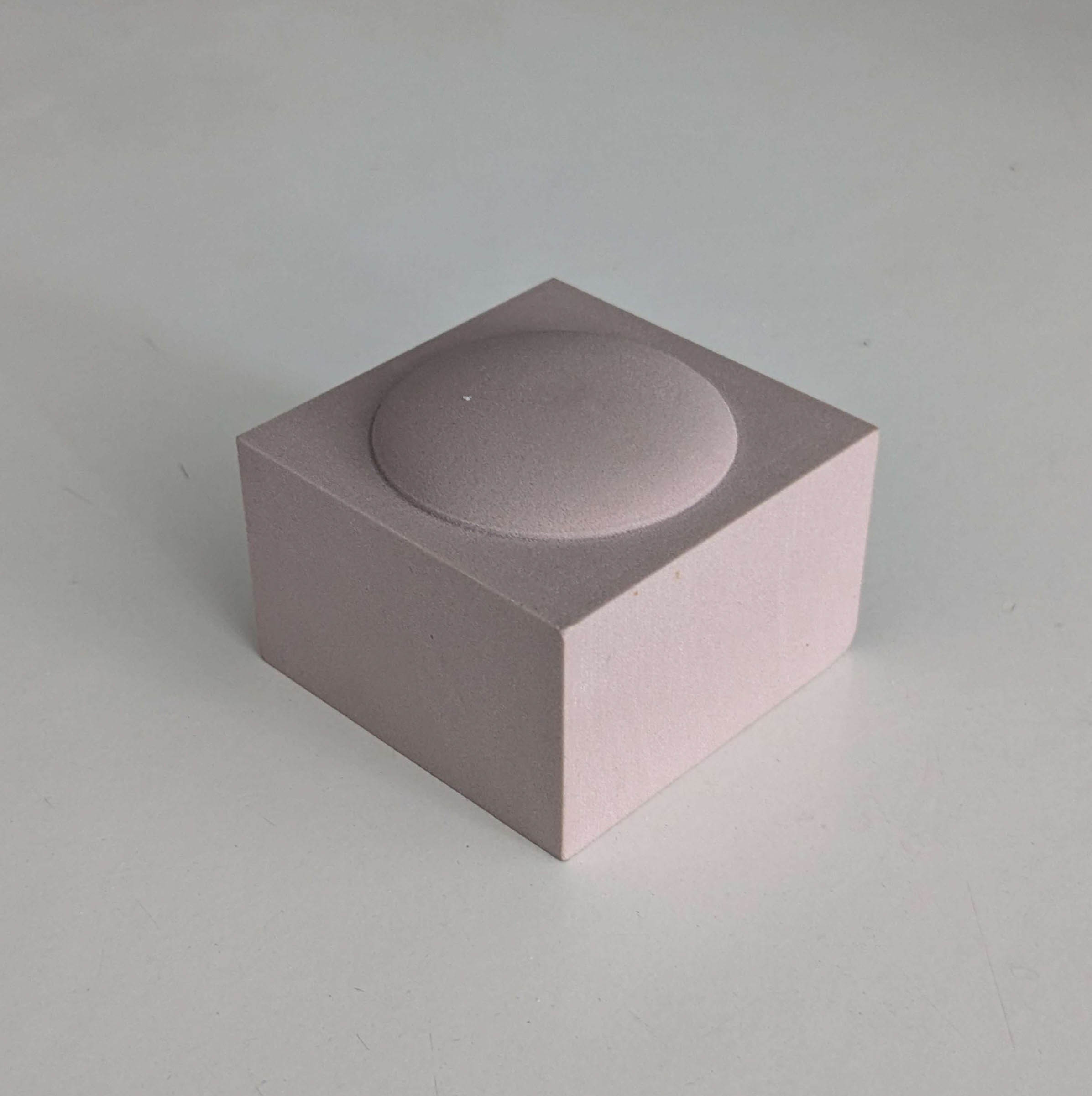 The second job required more thought because exclusively using the ball end mill for the elliptical protrusion would not yield the sharp edge at its base. Therefore,
after roughing out the overall shape with a 3D adaptive clearing operation, I used the flat end mill in a 2D contour operation to make the sharp edge. Making this part was the most fulfilling
because it took the most effort and ended up looking very nice.
The second job required more thought because exclusively using the ball end mill for the elliptical protrusion would not yield the sharp edge at its base. Therefore,
after roughing out the overall shape with a 3D adaptive clearing operation, I used the flat end mill in a 2D contour operation to make the sharp edge. Making this part was the most fulfilling
because it took the most effort and ended up looking very nice.